



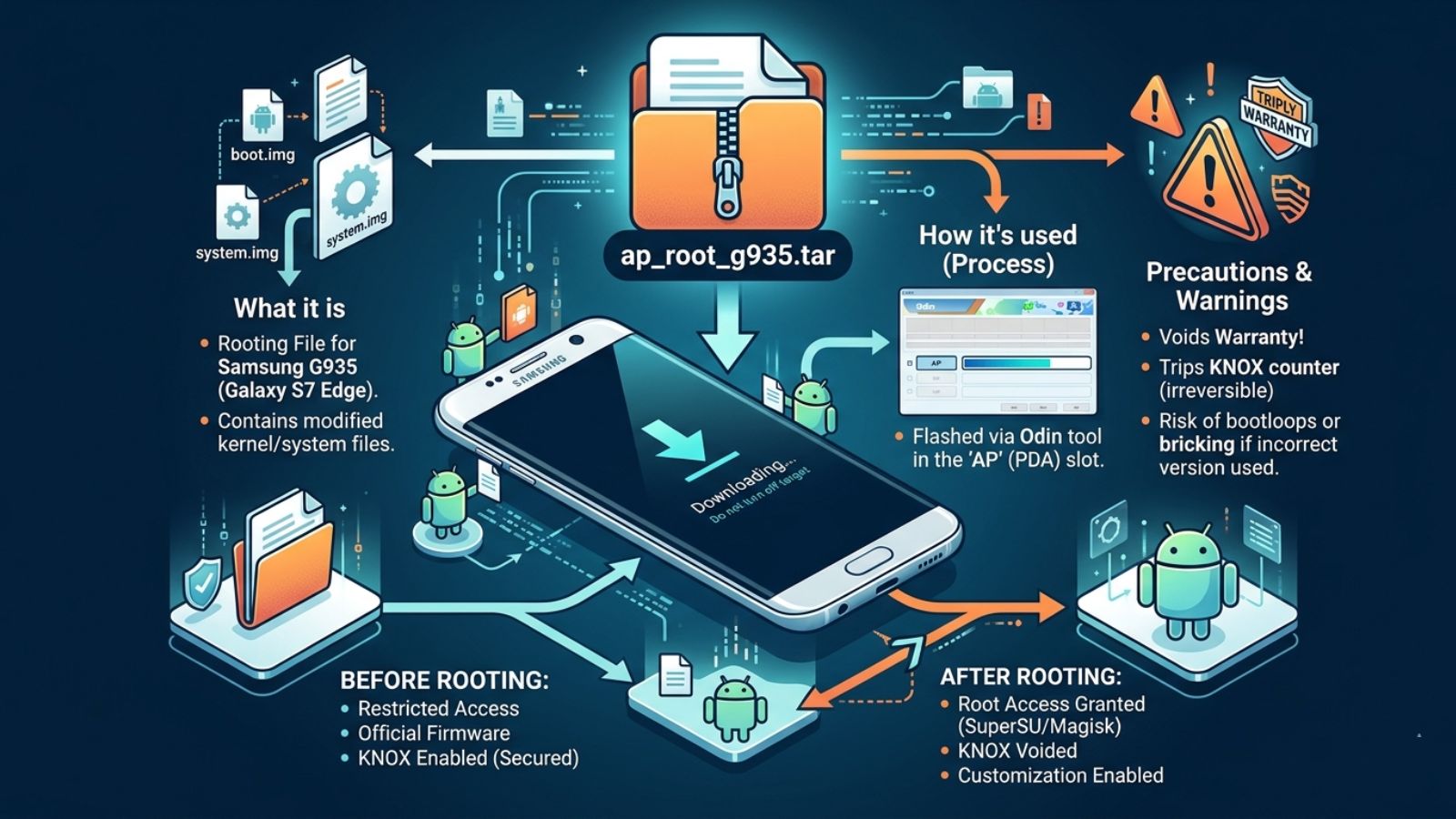
If you are an advanced Android user or a Samsung enthusiast, you may have come across the file ap_root_g935.tar. Many people wonder what it is, whether it’s safe, and how it is used. This file is particularly relevant for users of Samsung Galaxy G935 series devices, most commonly the Galaxy S7 Edge.
This article provides a detailed explanation of ap_root_g935.tar, its uses, precautions, and why it’s important for anyone interested in rooting or modifying their Samsung device.
What Is ap_root_g935.tar?
ap_root_g935.tar is a TAR archive file specifically created for Samsung Galaxy devices in the G935 series. Here’s what you need to know:
- TAR File Format: TAR is an archive format used to combine multiple files into a single container. It’s widely used in Linux-based systems, including Android.
- AP Root Package: “AP” typically stands for Application/Partition. This package contains the system files required to gain root access or modify the boot partition.
- Device Specific: The “G935” in the filename indicates the Samsung Galaxy S7 Edge model. Variants include G935F, G935A, G935P, and others, which require compatible files.
In short, ap_root_g935.tar is a system modification file used in the rooting or firmware customization process.
What Is It Used For?
The primary uses of ap_root_g935.tar include:
1. Rooting the Device
Rooting allows users to gain superuser access, enabling them to modify system-level settings, uninstall preinstalled apps, or install specialized software. The TAR file contains the necessary root binaries and boot image modifications.
2. Installing Custom Recovery
Custom recoveries like TWRP or CWM can be installed using this file. These recoveries allow users to back up their system, flash custom ROMs, or install tweaks.
3. System Modifications
Advanced users can modify system features, improve performance, or remove bloatware. The TAR file provides access to parts of the system that are normally restricted.
4. Firmware Customization
Developers or enthusiasts may use ap_root_g935.tar as part of a larger firmware package to customize their phone for region-specific features or carriers.
How Does ap_root_g935.tar Work?
Tool Required: Odin
Odin is Samsung’s official flashing tool for Windows. It allows users to install TAR packages on Samsung devices.
Flashing Process
- Place the TAR file in the AP slot of Odin.
- Ensure your device is in Download Mode.
- Flash the package to apply root or system modifications.
Effect
The system replaces critical partitions, installs root binaries, and optionally adds custom recovery, enabling advanced control over the device.
Safety Precautions
Flashing ap_root_g935.tar is powerful but carries risks:
- Warranty Void: Rooting your Samsung device voids the manufacturer warranty.
- Bricking Risk: Flashing the wrong TAR file or interrupting the process can brick your device, making it unusable.
- Compatibility Check: Ensure the TAR file matches your exact device model and variant.
- Source Verification: Only download from trusted forums or developer communities like XDA Developers.
- Backup Your Data: Always make a complete backup before flashing.
Why People Search for ap_root_g935.tar?
Users often search for ap_root_g935.tar because they want to:
- Gain root access on the Samsung Galaxy S7 Edge.
- Install a custom recovery environment.
- Learn advanced Android customization techniques.
- Fix a soft-bricked device by flashing system files.
- Understand safe methods for flashing firmware.
Benefits of Using ap_root_g935.tar
- Full System Control: Gain administrative privileges on your Samsung device.
- Performance Optimization: Customize CPU, battery, and memory settings.
- Bloatware Removal: Uninstall carrier or manufacturer-installed apps.
- Custom Firmware Installation: Flash ROMs that enhance features or appearance.
- Backup and Recovery: Enable full system backups via custom recovery.
FAQs About ap_root_g935.tar
1. Is ap_root_g935.tar safe to use?
Yes, if obtained from trusted sources. Safety depends on device compatibility and correct flashing.
2. Which devices is it compatible with?
It is designed for Samsung Galaxy G935 series, including Galaxy S7 Edge variants. Using it on other devices may brick them.
3. Do I need special software to use it?
Yes, you need Odin for Windows to flash the TAR file onto your Samsung device.
4. Will flashing this file void my warranty?
Yes. Rooting or system modifications typically void Samsung’s warranty.
5. Can I unroot my phone after using this file?
Yes. You can flash the stock firmware using Odin to restore the device to its original state.
Conclusion
ap_root_g935.tar is a powerful tool for Samsung Galaxy G935 users who want to root their device or install custom recoveries. While it provides advanced features and system control, it carries risks, including warranty voids and potential bricking.
By following safety guidelines, ensuring device compatibility, and using trusted sources, you can safely use ap_root_g935.tar to unlock your phone’s full potential.
